🗂️
Smart Worklist
Live, auto-refreshing study list with STAT priority, TAT clocks, one-click actions and instant filters.
HEEBA — Help Every One, Every Where, Beyond Abilities
A PACS for the worklist, TROS Viewer, and the signed report — in one login. MPR, 3D, PET/CT and PET/MR fusion, and the hospital or laboratory interface beside them. Every modality. Any device.
Four pillars, one seamless platform — built for radiologists, technologists, front desk and IT alike.
Live, auto-refreshing study list with STAT priority, TAT clocks, one-click actions and instant filters.
The diagnostic display in the browser. MPR, 3D, PET/CT and PET/MR fusion, measurements — no install on the reading computer.
Word-grade editor with templates, auto-filled demographics, digital signatures and one-click PDF / Word.
Many centres under one customer, with roles, a PHI access record, and each centre kept in its own compartment.
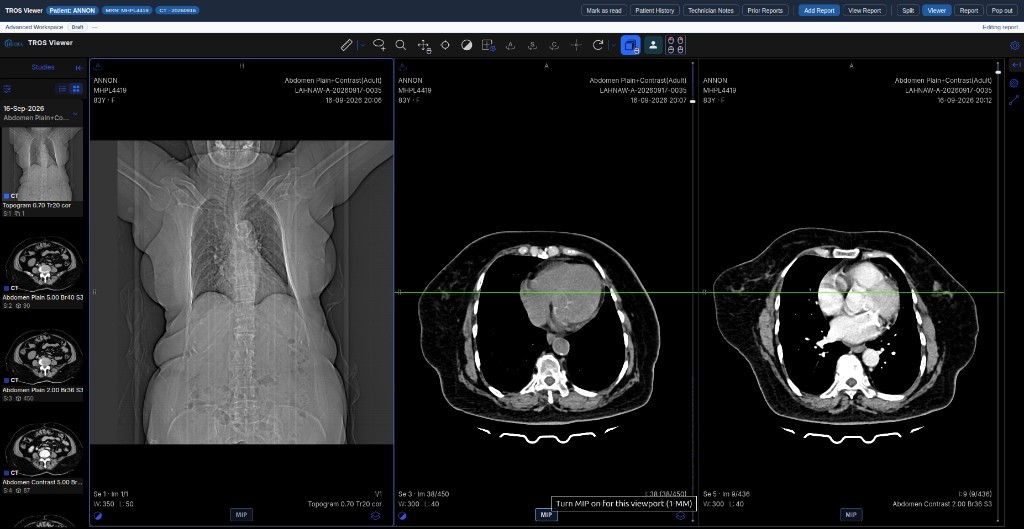
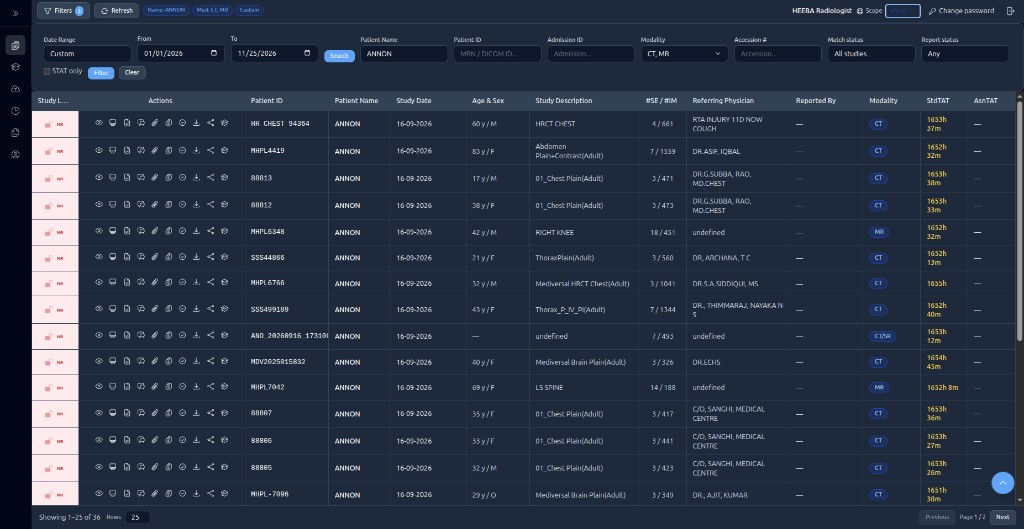
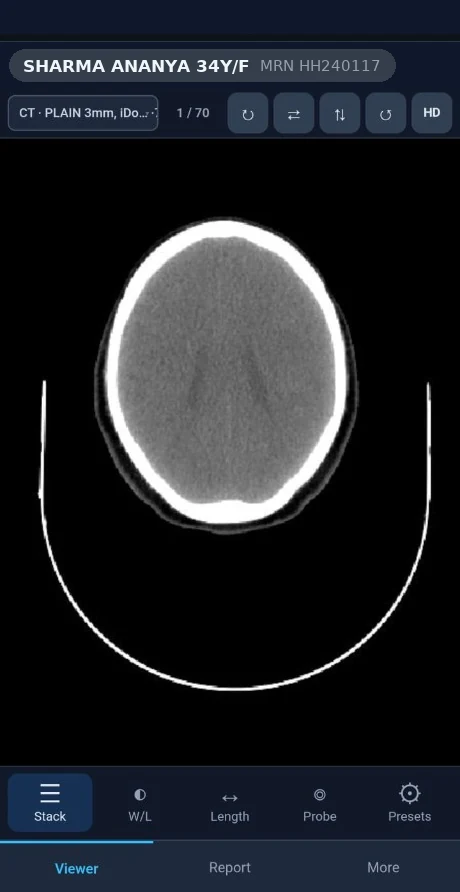
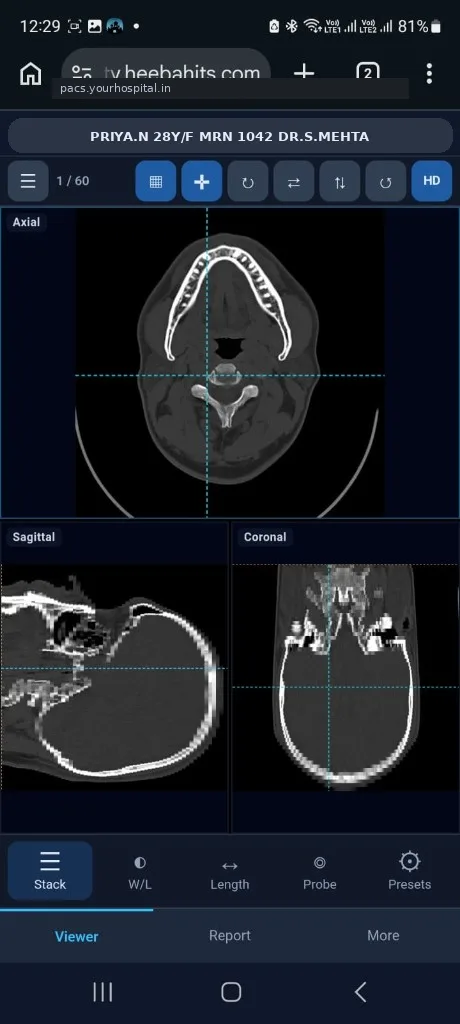
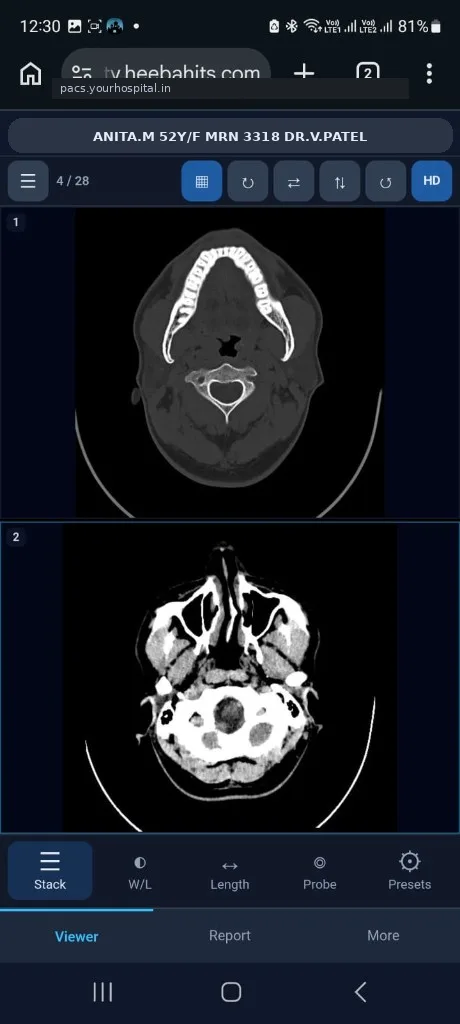
Every screenshot below is HEEBA TROS — the worklist, TROS Viewer, and the report from a working deployment.
Every study, every site, one screen. New studies appear the moment the machine sends them — no refresh button needed.
TROS Viewer opens the study in the browser. The reading computer does not install a separate viewer, and the browser never holds the archive password.
The split workspace puts the study and the report on one screen. Compare priors, check patient history, read technician notes — without ever switching windows.
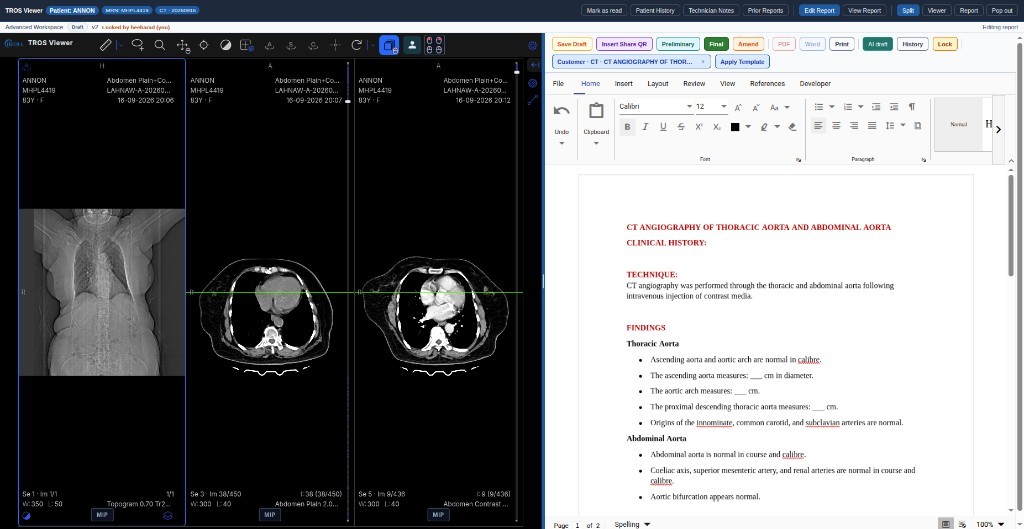
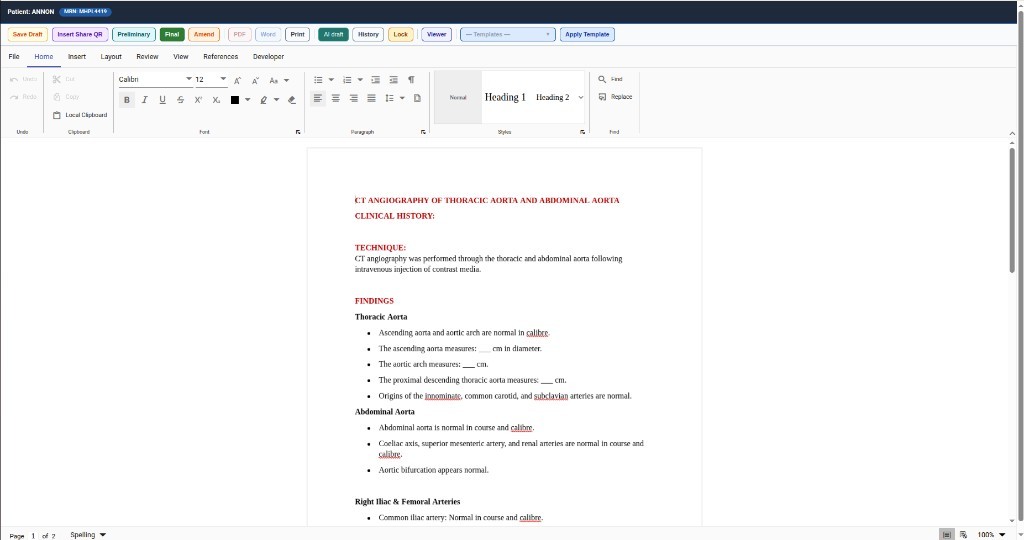
A full Word-grade editor in the browser. Pick a template, and patient demographics fill in automatically. Dictate with built-in voice recognition, sign digitally, export instantly.
*Almost. Your impression is still yours.
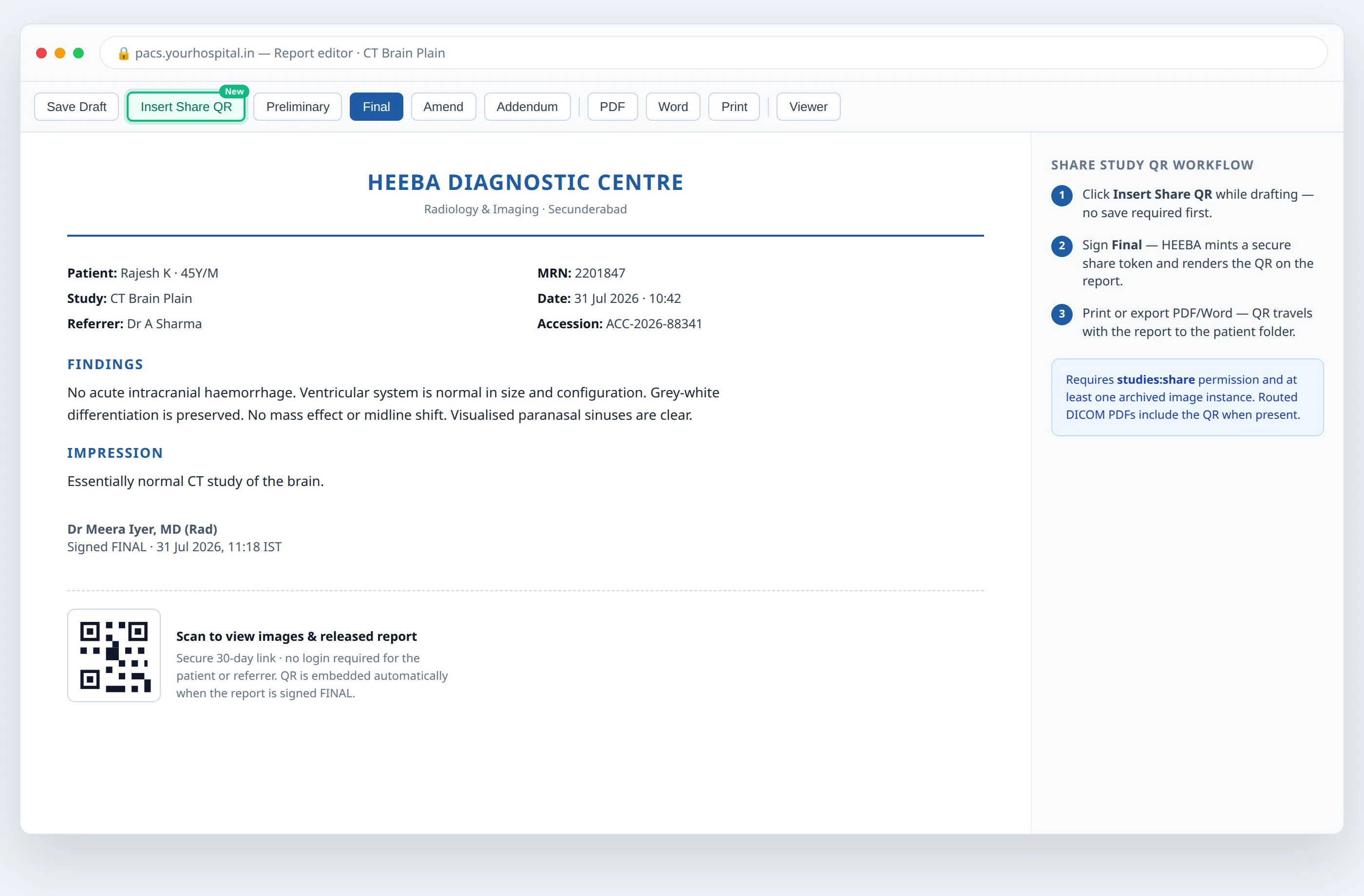
Give patients and referrers a secure way to open the study from a paper report. Radiologists click Insert Share QR in the report toolbar while drafting. When the report is signed Final, TROS embeds a scannable QR that opens a read-only mini-workspace with images and the released report.
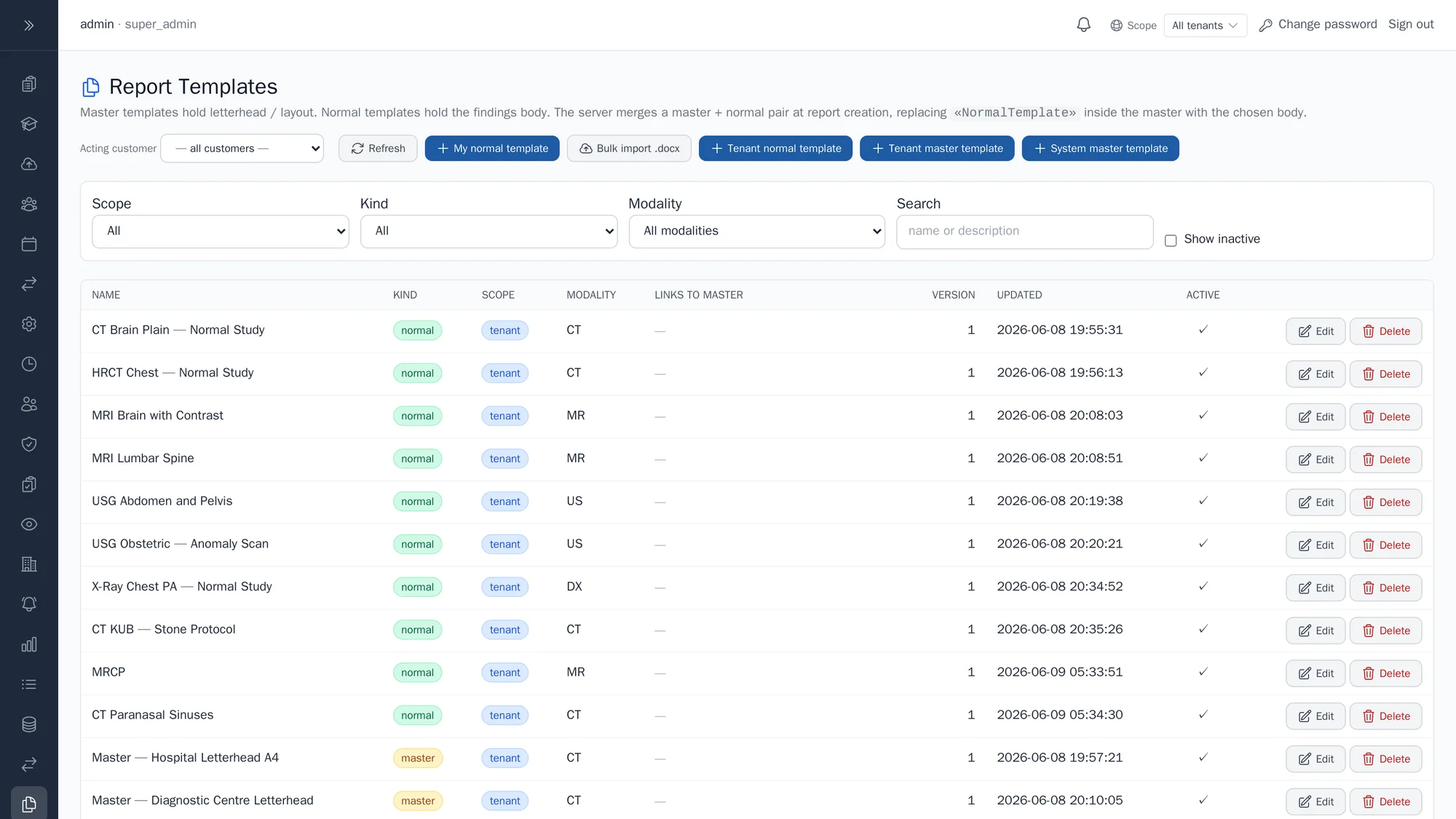
Master letterheads merge with procedure templates at report time — so every report leaves the department looking exactly how you want it.
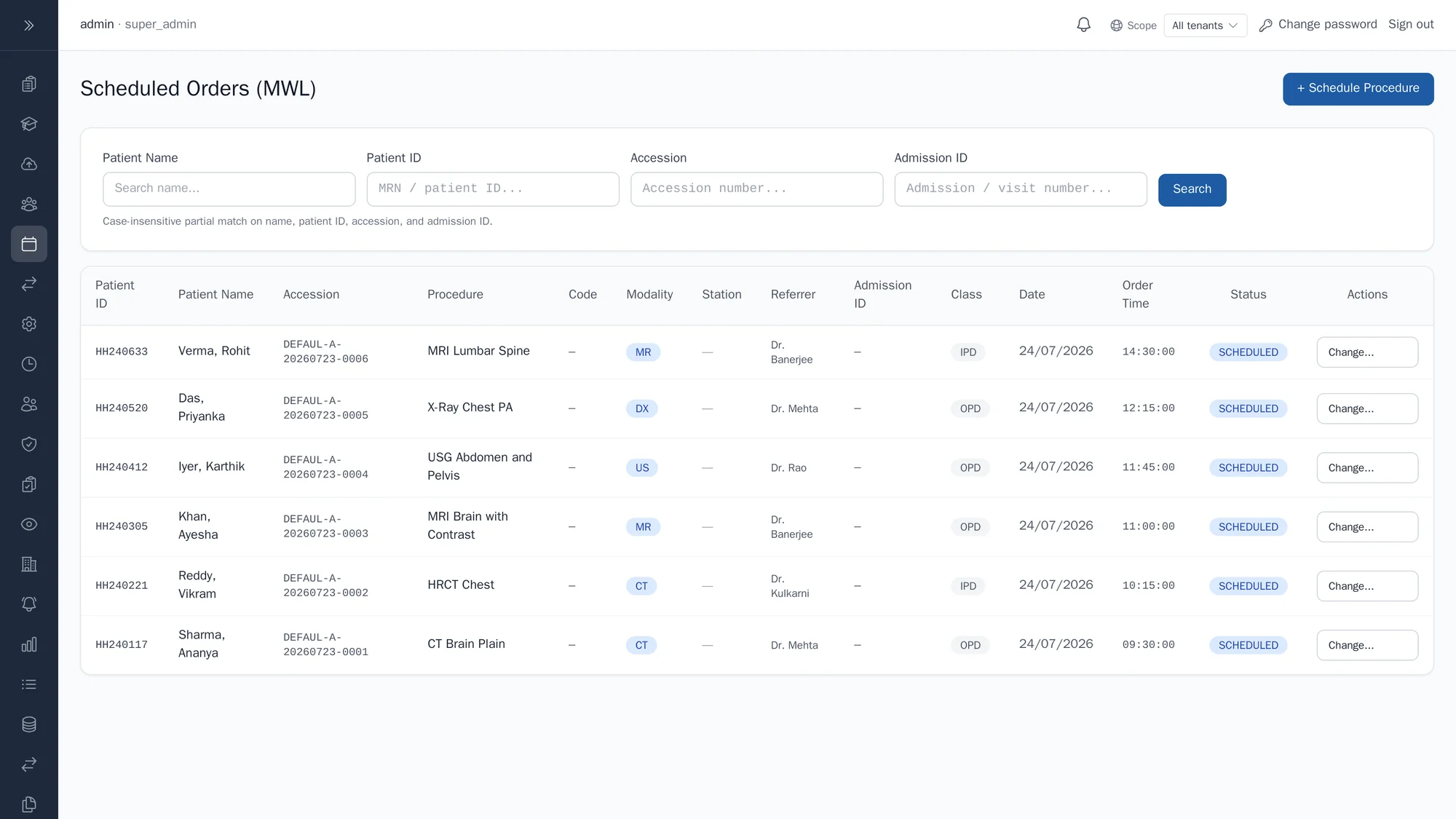
Schedule once — and the patient's details appear on the CT, MRI or ultrasound console automatically through DICOM Modality Worklist. No retyping, no wrong-patient errors.
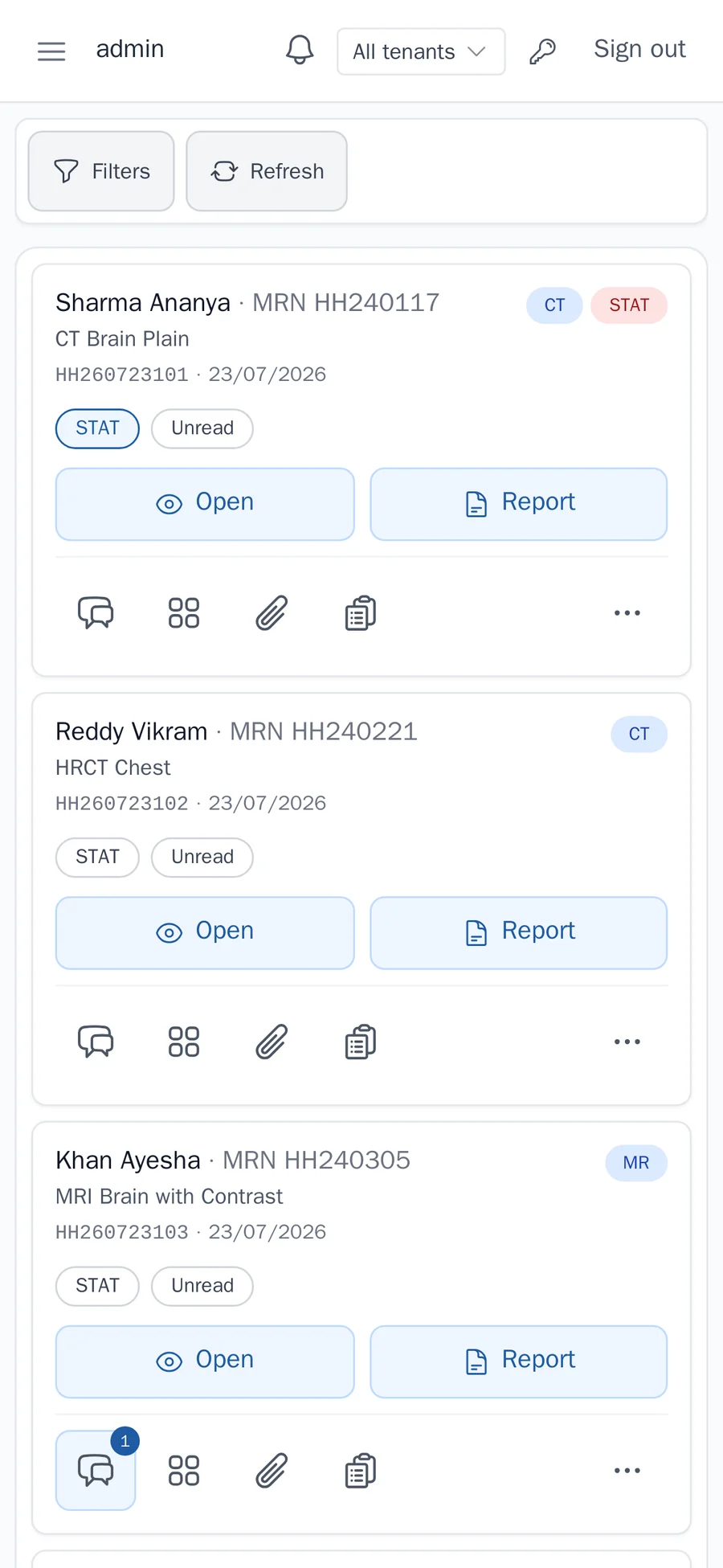
Bookmark any study into your personal teaching library with diagnosis, teaching points and tags. Share sets with colleagues and residents — perfect for academics, research and publications.
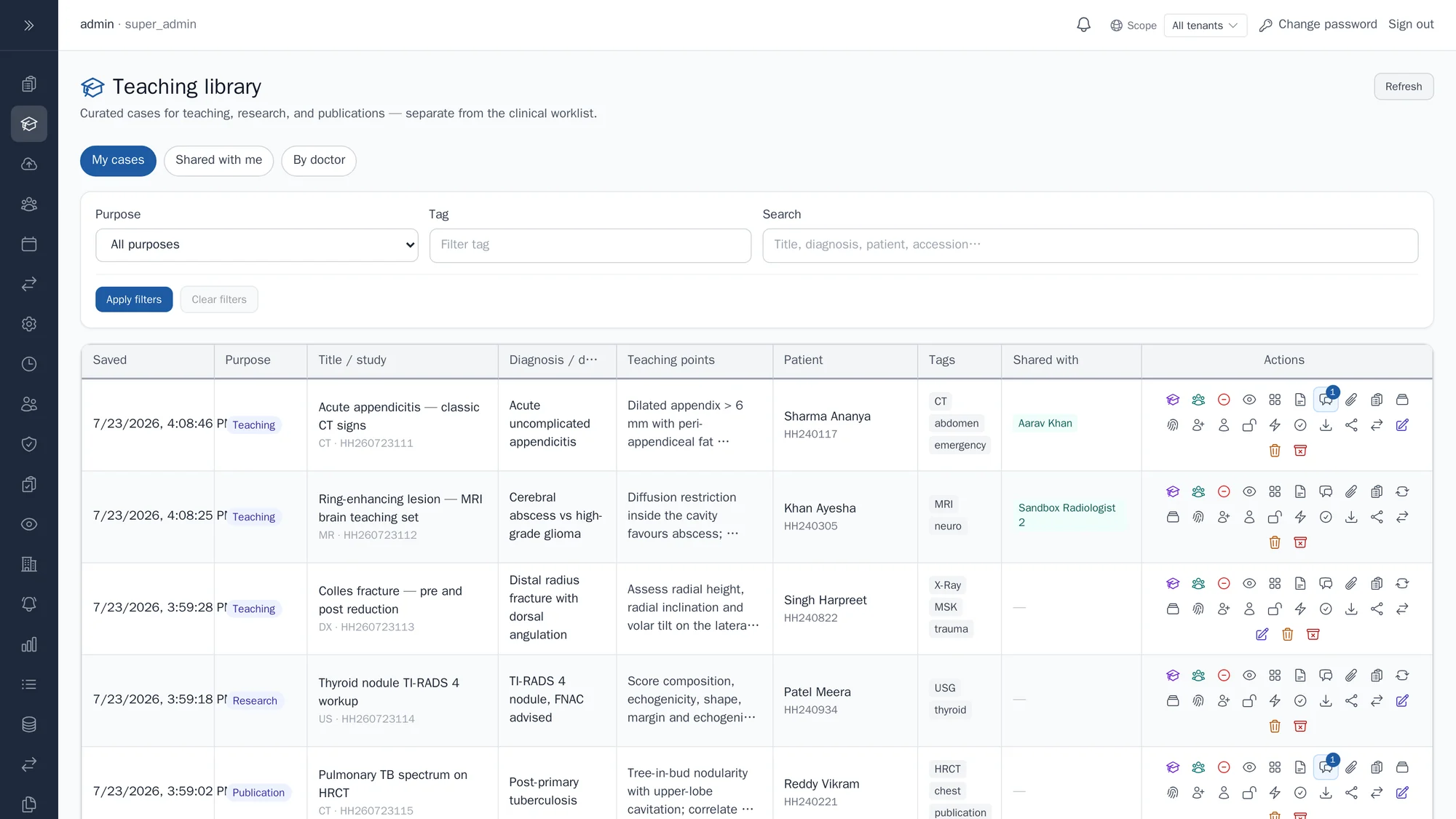
A clean patient master with MRN-based identity, full imaging history and document uploads — so every prior is always where you expect it.
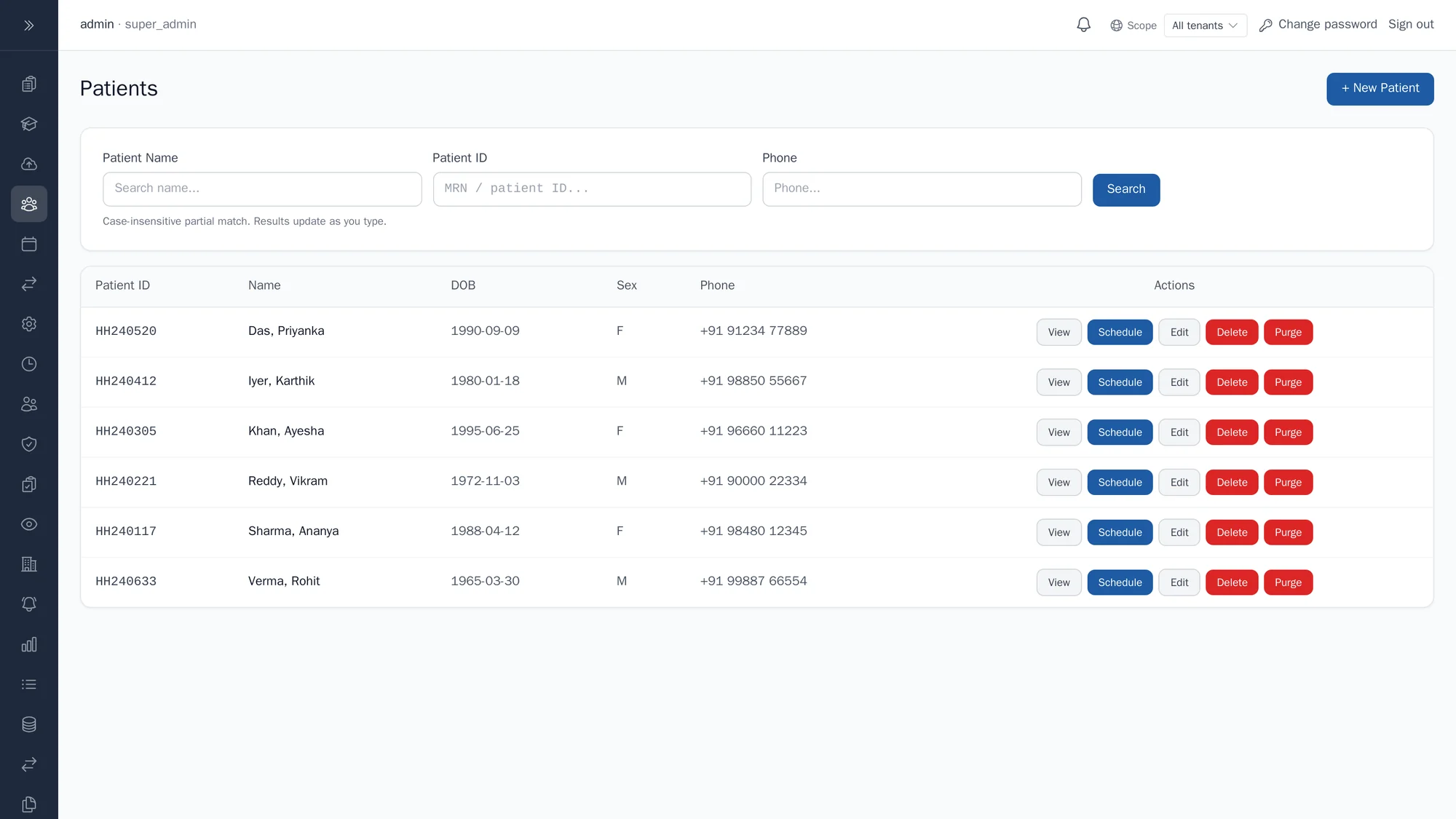
Run one centre or a fifty-site network from a single console. Roles, permissions, audit and tenant isolation are built into the core — not bolted on.
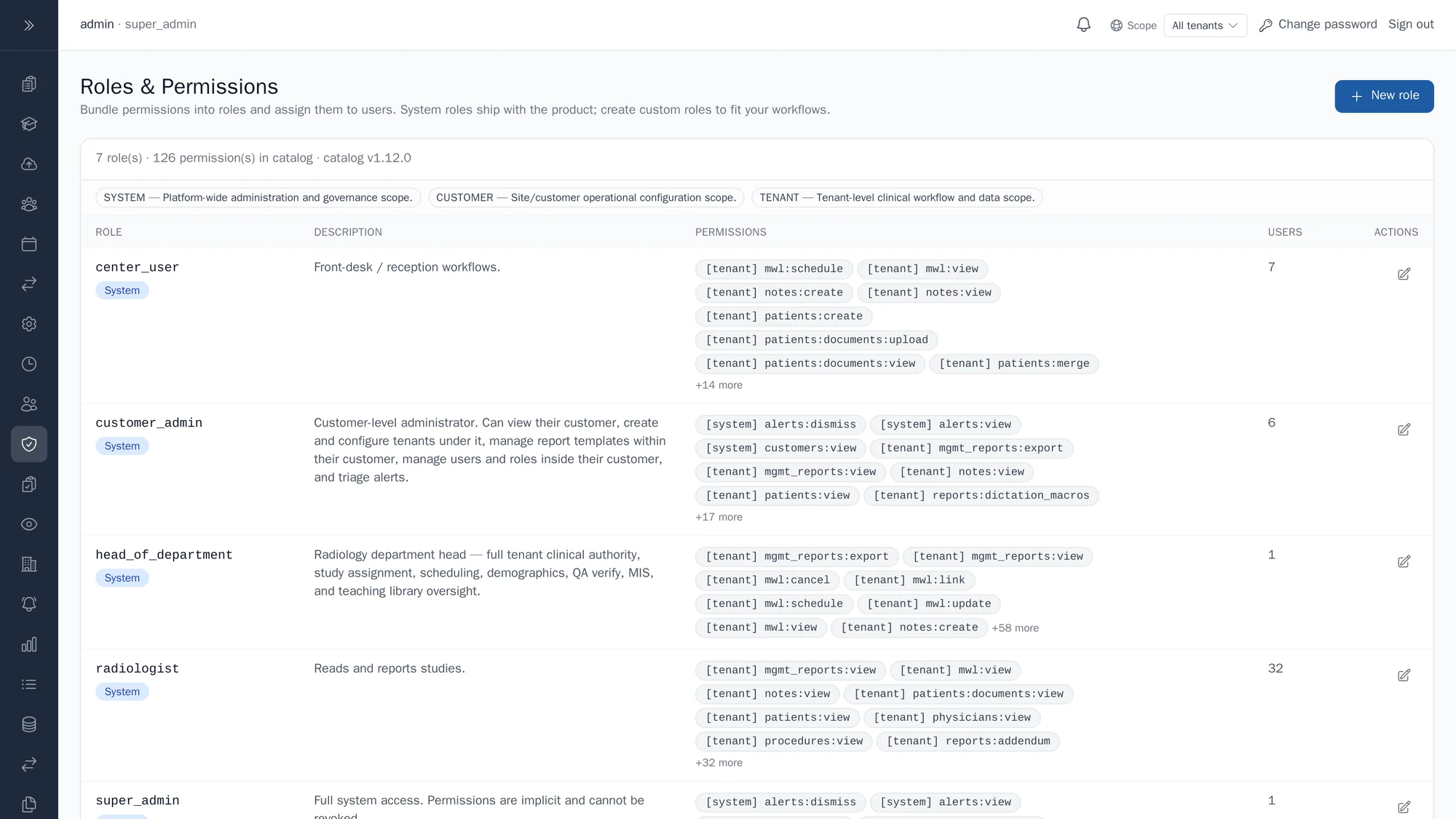
A dedicated mobile clinical workspace on any phone or tablet — separate from the desktop TROS Viewer, and built for touch. Review a STAT MRI from home, scroll priors on rounds, or share a link from the ward.
Every capability below ships in the platform — no hidden modules, no per-feature surprises.
Two-way HL7 and REST APIs — orders in, status and reports back to your HIS automatically.
Secure, expiring web links for referrers and patients — images plus released report, no login needed.
Insert Share QR while drafting; signed PDFs and printouts include a 30-day scannable link to images + report.
Open a study or report directly from your HIS screen with a single click.
Auto-forward or manually route studies to another archive, a workstation, or a reading centre.
Drag-and-drop outside CDs / files into the archive with demographic correction on the way in.
Download complete studies as ZIP with an embedded portable viewer for offline use.
PET/CT and PET/MR fusion, with lesion segmentation and volume tracking in TROS Viewer.
Built-in offline speech-to-text with radiology vocabulary, voice commands and macros.
Assign studies to radiologists with assignment TAT tracking and workload visibility.
Study-level locks and legal-record versioning — FINAL means final, with a full amendment trail.
Management dashboards — volumes, TAT, modality mix, referrer analysis, per-centre splits.
Storage and workflow alerts reach administrators before they reach the reading room.
Multiple storage pools with per-tenant isolation, retention policies and automatic purge.
Several centres under one customer, each with its own letterhead and its own accession series.
Runs fully offline for defence, remote and privacy-critical sites — zero cloud dependency.
Every PHI access, every change, every export — logged, searchable and retained per policy.
Worklist, MWL and reports update live across all logged-in screens the instant anything changes.
Hospitals, branches and outreach centres — each with isolated data, users, AE titles and branding.
Reports export exactly as designed — signatures, letterheads and formatting intact.
Every viewer session uses short-lived, study-scoped access tokens — TLS everywhere, nothing exposed.
Touch-first reading on a phone or tablet — stack, window and level, MPR, and a view-only report. TROS Viewer on the desktop stays the full reading room.
Signed reports can travel as DICOM-encapsulated PDFs — routed to any PACS together with the images.
Run HEEBA TROS your way — on the centre’s own servers, or as SaaS, PaaS or IaaS. From one diagnostic centre to a group of hospitals.
One server, every feature. Perfect for diagnostic centres and standalone imaging units. Live in a day.
Multi-department, multi-branch deployments with central administration, HIS integration and per-site branding.
Hub-and-spoke reading across cities. Secure access over the wide network, local speed inside the hospital, and the same account on a phone.
One PACS. The hospital or laboratory sends the order, the scanner stores the study, the radiologist reads it in TROS Viewer, and the signed report goes back.
From the HIMS, the LIMS, or typed at the centre. A modality worklist is optional.
The modality stores the study. TROS Manager forwards it when the centre link is used.
The study appears for that centre, with status, turnaround, and assignment.
TROS Viewer: stack, MPR, 3D, and PET/CT or PET/MR fusion.
Sign, and send the result back to the hospital or laboratory system.
The diagnostic display runs in the browser. The reading computer does not install a separate viewer, and the browser never holds the archive password.
A Word-style editor for the report body. Letterhead is applied when the report is signed. The latest released report opens first.
The hospital or laboratory keeps the order. TROS receives it, stores the images, and returns the signed report. Each centre has its own key.
Browsers talk only to the encrypted edge. Each centre is a separate compartment: its own archive title, its own storage, and its own key for hospital interfaces.
The gateway on a computer at the hospital or diagnostic centre. Scanners send studies to it. It forwards them to that centre’s archive in HEEBA TROS.
A customer holds several diagnostic centres. Each centre has its own archive title. A radiologist can be limited to assigned studies, or can see the centre queue.
The same account on a phone: worklist, stack scroll, window and level, and multi-planar view. DDViewer is the optional desktop application and does not replace TROS Viewer.
The same PACS on the shared HEEBA cloud or on infrastructure for one customer. Reading, reporting, and the hospital interfaces stay the same.
See HEEBA TROS on a real study — worklist, viewer, and a signed report.
Book a TROS demoHEEBA HITS is a full-service technology company. The same team that runs mission-critical radiology also builds, hosts, secures and manages IT for businesses of every size.
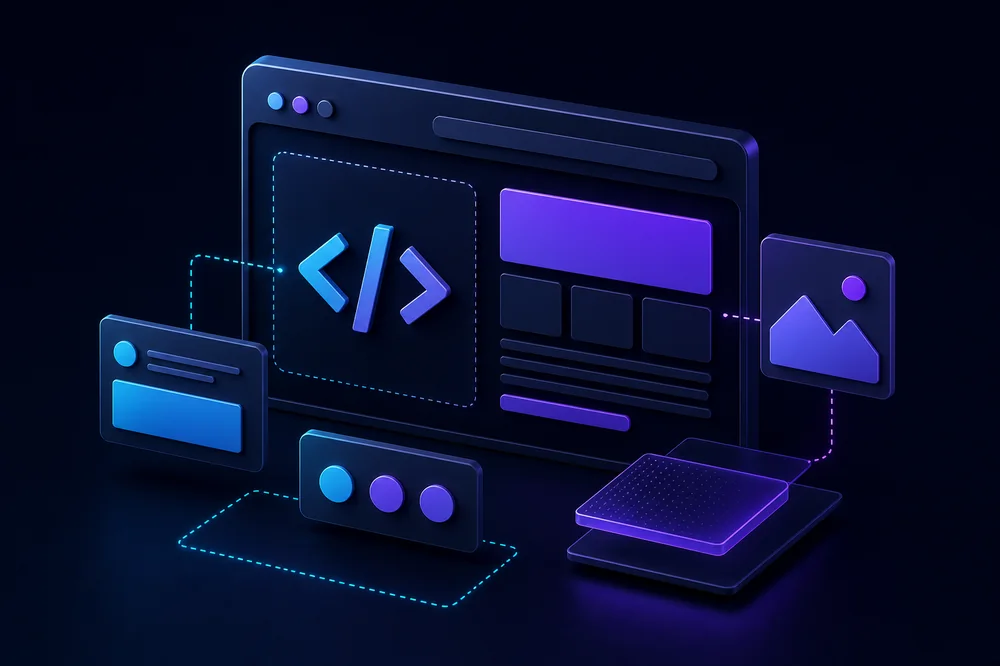
Corporate websites, portals and web applications that are fast, responsive and built to convert. From landing pages to full patient and customer portals — designed, developed and delivered end-to-end.
Managed hosting that just works — domains, SSL, email, automated backups and uptime monitoring. We host, patch and watch your sites so you never think about them again.
Words that work as hard as your website. Product copy, service pages, blogs and SEO content — researched, written and structured so customers (and search engines) find you first.
We deploy, update and support your business applications across Windows, macOS and Linux — patching, licensing, monitoring and user support handled by one accountable team.

Native and cross-platform apps for iOS and Android — from idea and UI design to development, store publishing and post-launch care. Beautiful on every screen size.

Cloud migration, private and hybrid cloud setups, hardening, firewalls and disaster recovery. Your data protected in transit, at rest and against tomorrow's threats.
Design, build and 24×7 management of your servers and networks — virtualisation, LAN/WAN architecture, VPNs, proactive monitoring and annual maintenance contracts. We keep the lights green so your business never notices the infrastructure underneath it.
Conforms to applicable European health, safety and performance requirements.
Certified quality management system across development, deployment and support.
Role-based access, complete PHI audit logging and configurable data-retention policies.
HEEBA stands for Help Every One, Every Where, Beyond Abilities — and every where is exactly what we mean. From our home in Secunderabad, India, we design, deploy and support healthcare platforms for hospitals worldwide — platforms teams actually enjoy using, since 2016.
Founded and led by Shayaan, our team lives close to our customers — on the phone when you need us, on site when it matters. Today HEEBA TROS powers imaging at 50+ hospitals (including 500+ bed institutions) and 200+ diagnostic centres across India and around the world, quietly processing more than 30,000 studies every single day — proudly Made in India, built for everywhere.
And radiology is only part of the story: with 25+ years of combined experience, we also build websites and mobile apps, host and secure infrastructure, and manage applications, servers and networks for organisations well beyond healthcare.
“We don’t sell software and disappear. We run radiology together with you — every day, for years.” — Shayaan, Founder · HEEBA HITS
Book a demo — worklist, TROS Viewer, and a signed report, on studies you recognise.
17, Gandhi Nagar, AVM Residency,
Sri Colony, Neredmet,
Secunderabad, Telangana 500056
Sales & demos: +91 83411 36911
Email: admin@heebahits.com
Mon–Sat · 9:30 AM – 7:30 PM IST
Production support: 24×7
1 · A 30-minute discovery call
2 · Live demo on real workflows
3 · Pilot at your site — seeing is believing